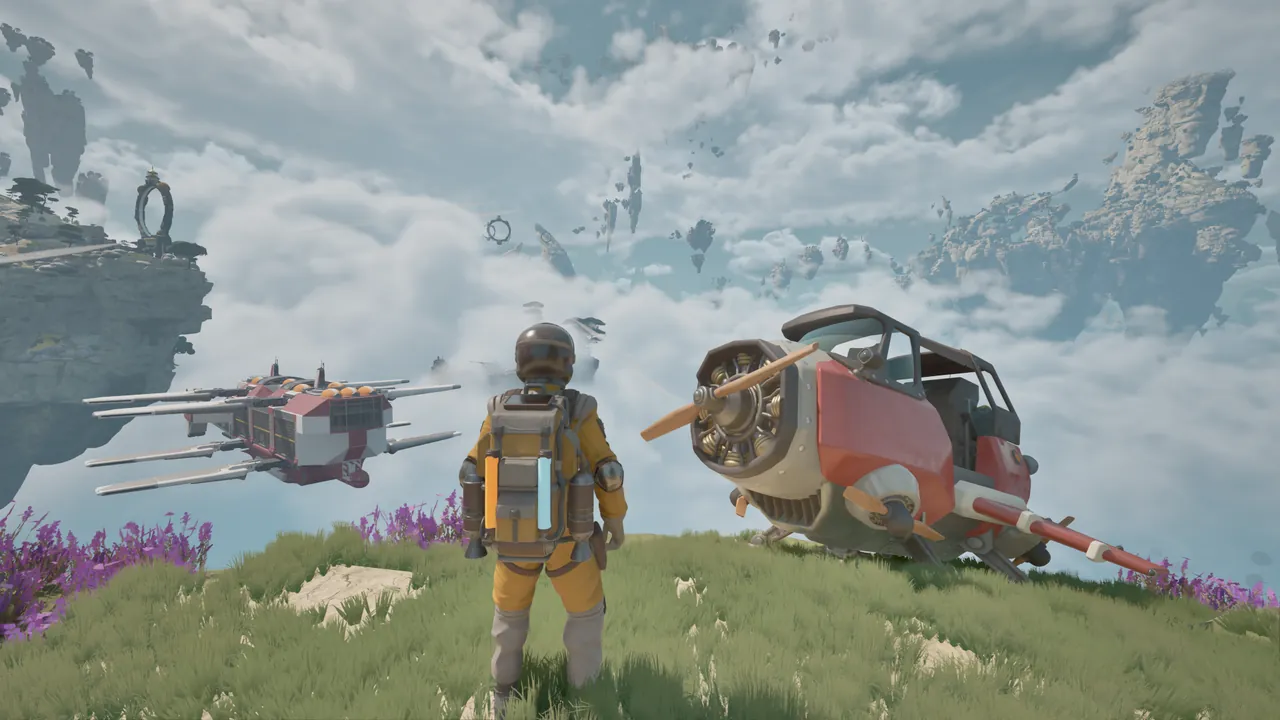
What is the portable camp?
The portable camp is a workshop you can take on an expedition with the Utility Wasp. It supports the smaller repair-and-refuel stops between islands, while the Cloud Cruiser serves as the larger flying home.
The setup below applies to the March–April 2026 Demo: pack the hub, carry it on the Utility Wasp and redeploy it near the next resource job. Equipment and requirements may change in Early Access.
Land where you can use the workshop
Choose a stop that gives you enough room to reach the Wasp and camp equipment on foot. A ledge that fits the aircraft but makes the machines awkward to access is a poor service area. Look at nearby hazards before turning a resource patch into a long work session.
The useful questions are practical: can you walk around the Wasp to inspect its damaged parts? Can you reach the table and refinery? Is the resource collection point close enough that returning with low backpack power is manageable?
Those are planning checks, not fixed clearance measurements. The placement interface in your version determines where equipment can be deployed.
Deploy the hub, then check what it contains
The hub is the centre of the camp. Deploying it provides access to camp components already available to you; it does not create every possible machine for free.
Deploy the hub and make the crafting table accessible at your stop. The hydrogen refinery is a separate item to craft. If you cannot find one among your equipment, check the table’s recipe list before assuming the camp is broken.
The crafting guide covers missing components and the hydrogen guide explains what happens after the refinery is ready.
What does the camp hub do?
The hub distributes electricity to connected camp components. The refinery processes hydrogen, the campfire supports cooking, and the lamp provides light. Each piece has a different job within the workshop.
That makes the camp a group of connected pieces rather than a loose collection of unrelated objects. If a machine will not run, inspect how it is connected and whether it has its input. Merely placing equipment nearby may not satisfy the current connection prompt.
Check the current interface for a component’s requirements before adding it to the camp. Keep the tools and machines needed for the immediate objective easy to reach.
Use the processing interval for repairs
Refining takes time in the Demo. Use that interval to inspect the nearby aircraft and finish outstanding repairs rather than beginning another long resource trip.
This is a good point to check supplies for the next objective too. A tank ready for departure will not help if another damaged component still blocks flight. Keep personal electricity, repair parts and finished fuel separate in your departure checklist.
For the April Demo’s fuel target, avoid transferring processed fuel before the personal-tank objective completes. See the fuel-objective example if you appear to have made enough but the journal still asks for more.
Pack the camp before the next island
Packing the hub gathers the deployed camp pieces, including the table and chest, in the Demo. Carry the packed camp on the Wasp so the workshop can be redeployed at the next stop.
Before packing, check machines and inventory for anything you still need. After packing, confirm that the hub is carried by the aircraft. It is easy to complete the workshop task and focus on takeoff without checking the transport step.
The flight guide combines this with fuel and aircraft checks. Do not assume every Wasp variant carries the same equipment: the portable-camp role belongs to the Utility Wasp in the current store description.
Camp or Cloud Cruiser?
| Portable camp | Cloud Cruiser |
|---|---|
| Supports a local island stop | Moves a larger airbase through the world |
| Carried by the Utility Wasp | Piloted as its own vessel |
| Demo table and refinery workflow | Official docking, cargo, research and cultivation systems |
| Useful near the current resource job | Supports several expeditions and a shared crew |
Both solve the problem of keeping support facilities near your travels, but at different scales. Start with the smaller workshop to understand collection, crafting and fuel. Then use the Cloud Cruiser dossier to plan the facilities of a flying home.
FROM THE FLIGHT DECK
Watch the game in motion.
Choose a video for a closer look at the journey. Demo footage contains spoilers and may differ from Early Access.
 OFFICIAL DEV VLOG6:07
Sounds for a floating world
Listen to Tycos: alien wildlife, patrolling PACE machines and the hum of a working camp. February 2026.
Watch on YouTube ↗ APRIL DEMO46:16
ATMOSFAR — a first expedition
A full Demo journey with component repairs, a travelling camp, a fuel-objective snag and the gate search.
Watch on YouTube ↗Sources & further reading
Official updates and related videos.
Help us keep this field guide accurate. Send a correction.